Guest list · 4 min read · Updated August 2026
How to format your guest list spreadsheet and save it as a CSV
Your seat finder is only as good as the spreadsheet behind it. The good news: it takes three columns and about five minutes. Here's the exact layout we look for, and how to export it as a CSV from any spreadsheet app.
The layout we expect
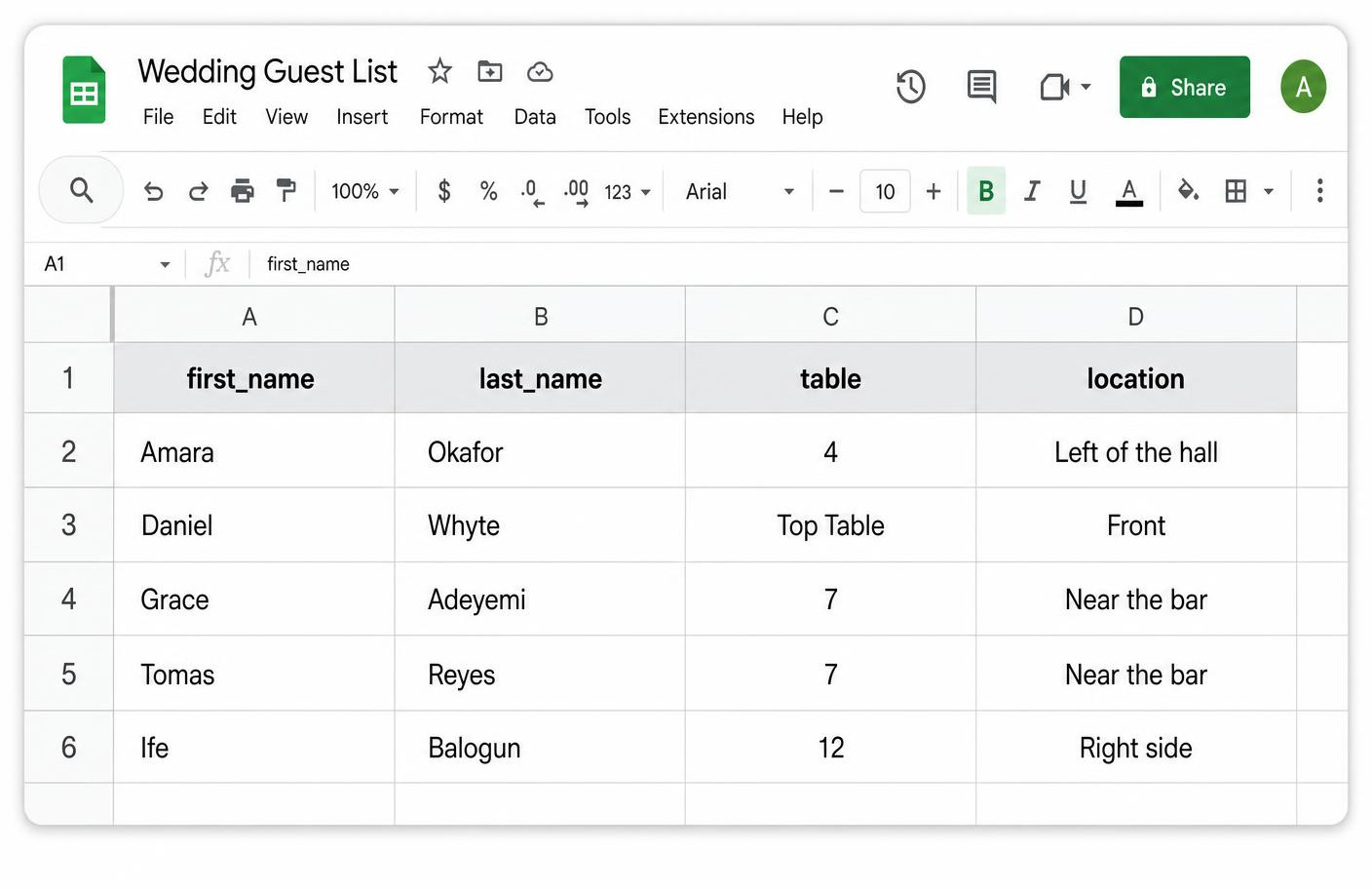
One row per guest, with a header row at the very top. Use these column names:
| first_name | last_name | table | location |
|---|---|---|---|
| Amara | Okafor | 4 | Left of the hall |
| Daniel | Whyte | Top Table | Front |
location is optional — it's the little hint guests see, like "near the bar" or "right side of the hall". Leave the column out entirely if you don't need it.
Rules that save you a re-upload
- • One guest per row — never "Mr & Mrs Okafor" on a single line.
- • Plus-ones get their own row. We usually write Amara Okafor (Guest) so ushers know who it is.
- • Keep table names short and consistent:
4, not "Table 4 (near door)". Put the extra detail in location. - • Don't merge cells, add colour-coded legends, or leave blank spacer rows — they confuse the importer.
- • Delete extra sheets and totals rows. Only the guest rows should be in the file.
- • Spelling matters: guests search by their own name, so "Katumba" and "Katumbe" are two different people.
Saving as a CSV
A CSV is just a plain-text version of a single spreadsheet tab. Every spreadsheet app can produce one:
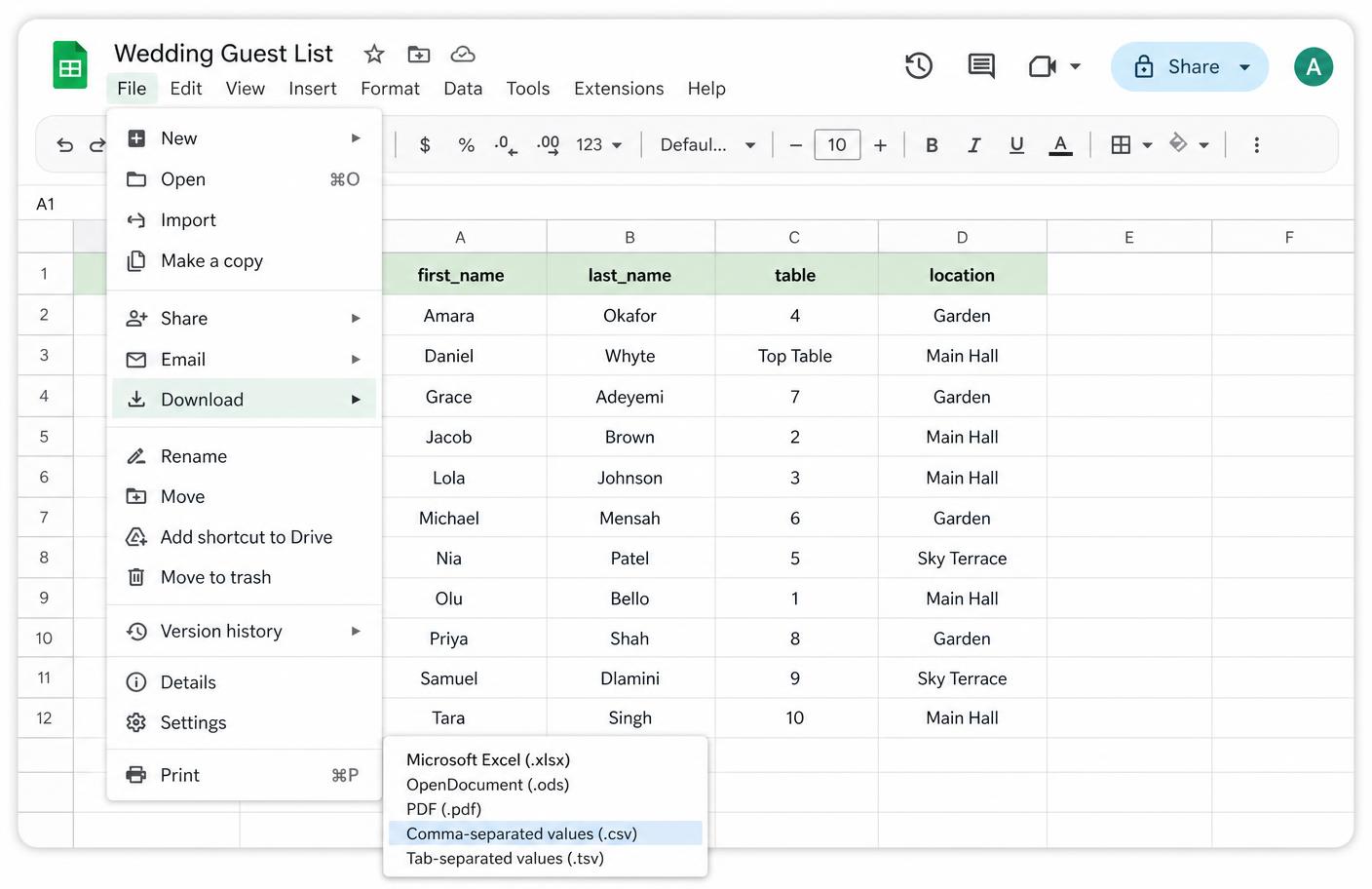
- • Google Sheets: File → Download → Comma-separated values (.csv).
- • Google Sheets: File → Download → Comma-separated values (.csv).
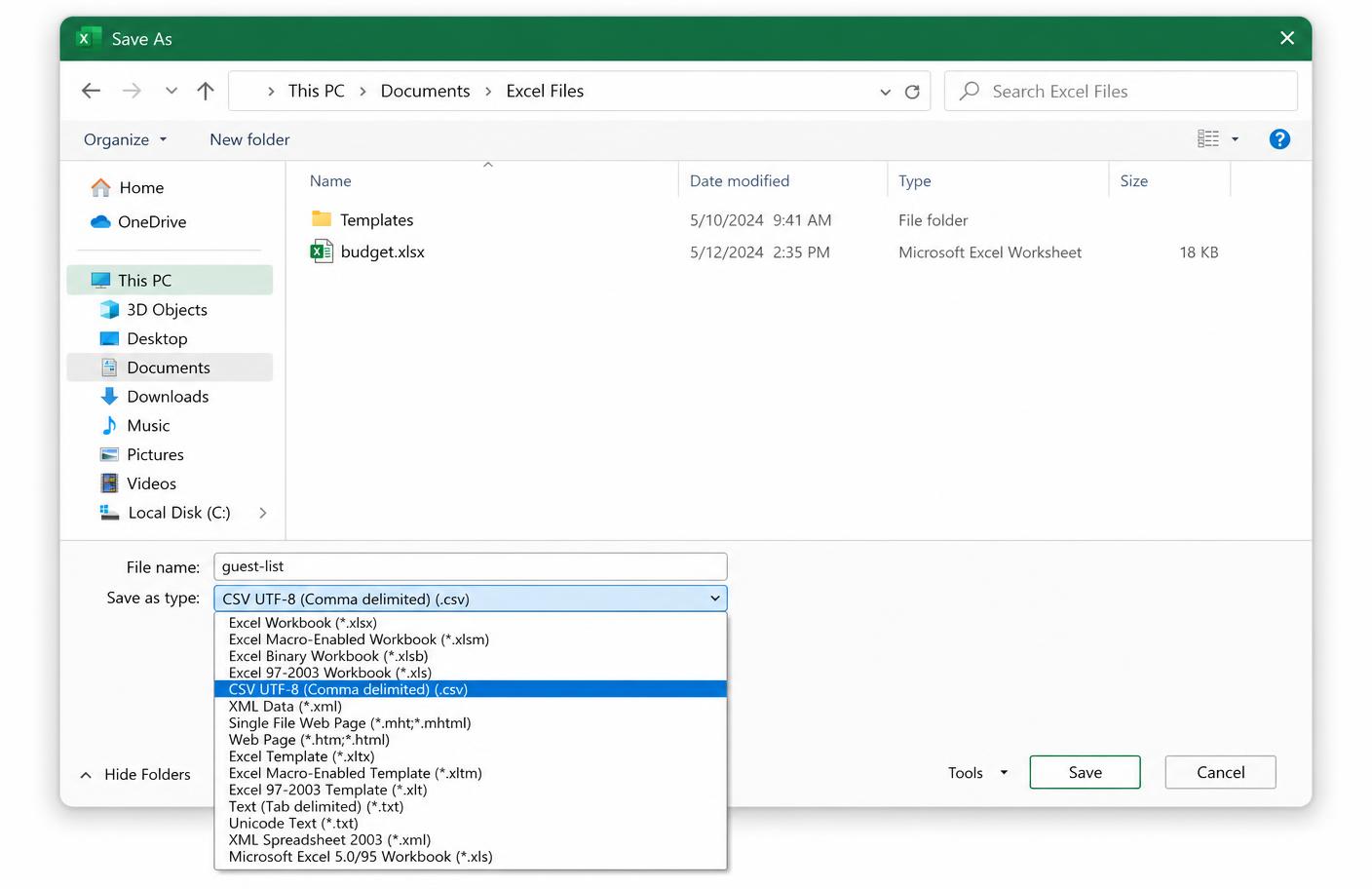
- • Microsoft Excel: File → Save As (or Export) → choose CSV UTF-8 (Comma delimited). Pick UTF-8 so accents and special characters survive.
- • Apple Numbers: File → Export To → CSV → Next → Export.
- • On your phone: it's much easier on a laptop. If you only have a phone, share the Google Sheet with yourself and download the CSV from the browser.
If Excel warns that "some features may be lost" — that's normal. CSV drops formatting and formulas but keeps every value, which is all we need.
Check it before you upload
Open the finished .csv file and skim it. You should see plain rows of names and table numbers, nothing else. Then head to the guest list step of the studio, drag the file in, and you'll see the full table on screen where you can fix anything by hand.
Don't have a spreadsheet at all?
You don't need one. On the guest list step you can add guests manually, one at a time, and edit them later from your private dashboard — right up until the wedding day.